Welcome! How can we help you today?

Tools & Resources
Explore all the tools you need to work with the design system.


Contribute to SLDS
Learn how to contribute a pattern, icon, or illustration.
Learn
Design systems can be confusing. We get it! Here are some resources to help you get started:
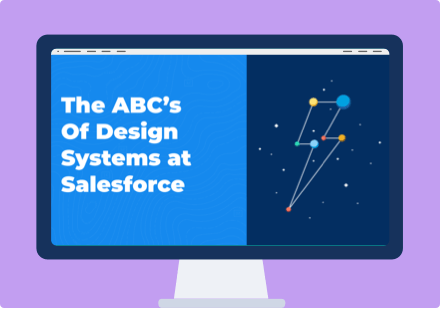

Trail: SLDS for Developers
Build pixel-perfect enterprise apps using our design guidelines and CSS framework.
Trail: Systems Design
An advanced module for learning how to design reusable patterns and scalable systems
Blueprints and Frameworks
Our design system must work with multiple JavaScript frameworks, so for that reason we provide only HTML and CSS as part of our system. Engineers will need to take that markup and create functional components. Ask your engineering team which of the following frameworks they use: Lightning Web Components (latest model, also called Raptor or LWC) or Aura Components (older model, being phased out).
Lightning Web ComponentsAura ComponentsWhat we're working on
Here's a snapshot view of what the SLDS team is up to and our roadmap.
FY21 RoadmapSLDS Release NotesThemes for FY22
Project Sunrise
Reimagining the look and feel of Lightning while following the latest accessibility recommendations
Salesforce Design System (SDS)
Building a design system that works for all Salesforce entities (product, marketing, Trailhead, and more)
SLDS Styling Hooks
Designing a supported way to change styling values by exposing CSS Custom Properties on components
CCPI Groups: Cross-Cloud Pattern Integration
Cross-functional groups are producing new SLDS guidelines
Tools & Resources
Here are some of the tools and resources you'll need to be successful using SLDS. For the full list, you can view our Tools Page on the SLDS website.

Sketch Plugin & UI Kit
Download our Lightning Design System Plugin for Sketch (fka Joules), which includes the most up-to-date version of our UI Kit, including colors and icons.
Learn MoreJoin #talk-sketch on Slack
SLDS Validator for VS Code
Start using our VScode extension to write SLDS-compliant markup more efficiently. It provides real-time feedback and suggestions to improve your code.
Install the SLDS ValidatorAdditional Resources
Icons
Other UI Kits
Sketch Resources
Accessibility
Characters & Illustrations
SLDS Development
Get Help
Have an SLDS question for us? Follow this timeline to get help.
Step 1: Ask Your Ambassador
First, reach out to your SLDS ambassador to see if they can answer your design system question(s).
SLDS AmbassadorsStep 2: Take it to Chatter
If you don’t have an ambassador, or you still need help, please post on the proper SLDS Chatter Group:
Design Q’s•Engineering Q’sStep 3: Meet With Us
If you have more complex questions and would like to meet with us, please reserve a time during our office hours.
Book Office HoursStep 4: Contribute
Already met with us about a great SLDS addition? We'd love to see your new pattern, icon, or illustration suggestion!
Contribute to SLDS
Office Hours & Contribution Guidance
We know Design Systems can be confusing, but we’re here to help! Book an appointment for our office hours to help you navigate SLDS. Get the help you need, whether it’s related to UX, Engineering, Accessibility, Visual or Kinetics.
Book SLDS Office HoursBook A11Y Office HoursContribute to SLDS
We provide a process to make it easy for you to contribute patterns, icons, and illustrations to the design system.
A Living Design System
Salesforce design systems provide beautiful and cohesive experiences across all of Salesforce. This requires a scalable governance model that supports all products and contribution volume. The pattern review process will ensure product pattern quality while providing clarity to contributors and stakeholders.
Learn about SLDS Governance
Contribute a Pattern
Need assistance from one of our teams? We're happy to help!
Share an Illustration
Come to Visual Design office hours for feedback on illustration(s).
Prioritize a Style Hook
Let us know which style hook you'd like to see coming next.
Versions of SLDS
Internal development builds cover the next two core releases and are available for use internally.
What is Upcoming?
The “Upcoming” version reflects the latest code checked into the SLDS repository. It is updated the most frequently, although it might not meet our definition of ready just yet.
What is Core?
Our “Core” subdomains showcase the SLDS versions that we have checked into Perforce. These sites reflect what is available for developers building on our Platform.
GA Build
The GA build is the latest stable build made public in our open source repository and website. It only contains components that have been released within an existing Salesforce product.
| Release | Version | Status | Changes Made |
|---|